Stop guessing when groceries are cheapest.
Track your favourite Coles and Woolworths products and get notified when prices drop.
How it works
Three steps to cheaper groceries
Add products you buy
Search and paste a link to any Coles or Woolworths product you want to track.
We check prices weekly
Every Wednesday we update prices so you always have the latest data.
Get notified on drops
Receive alerts when prices drop below your threshold or hit their lowest point.
See it in action
Built for your weekly shop
Track prices, spot deals, and shop smarter — all from your phone.
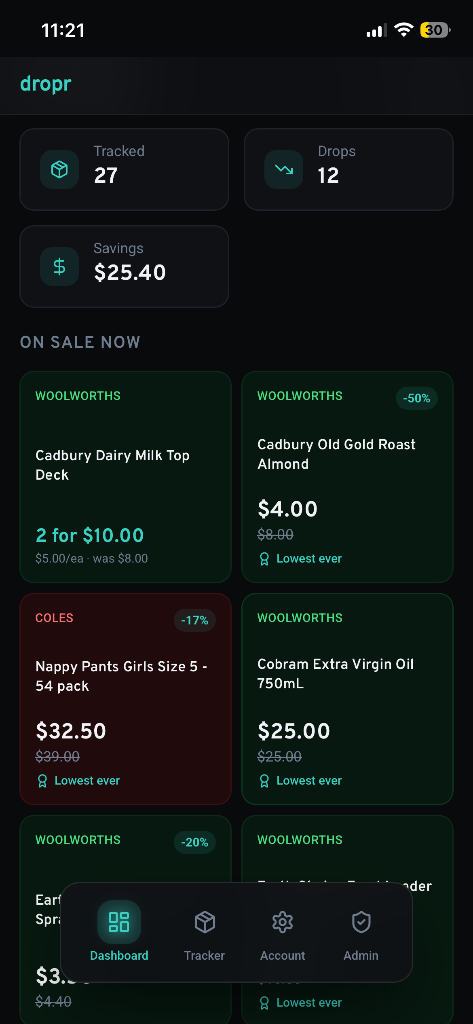
Dashboard
See all your price drops at a glance
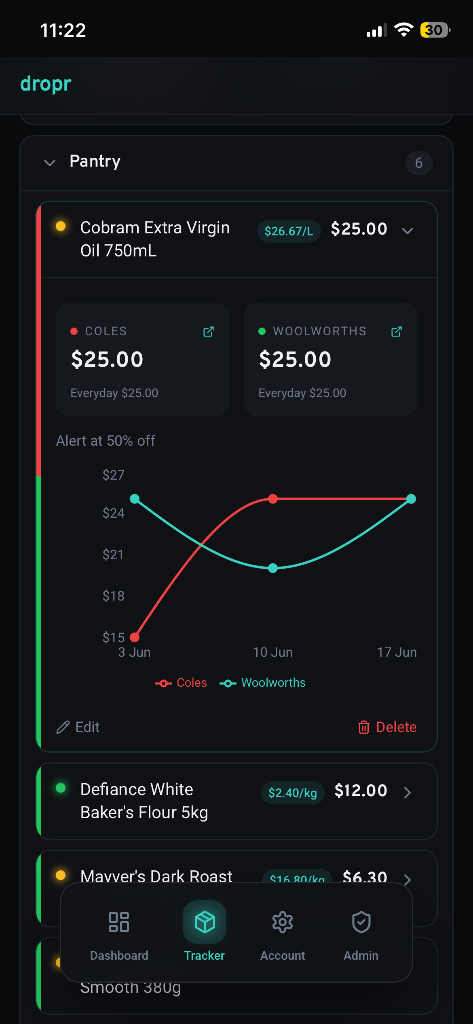
Price History
Track prices over time with charts
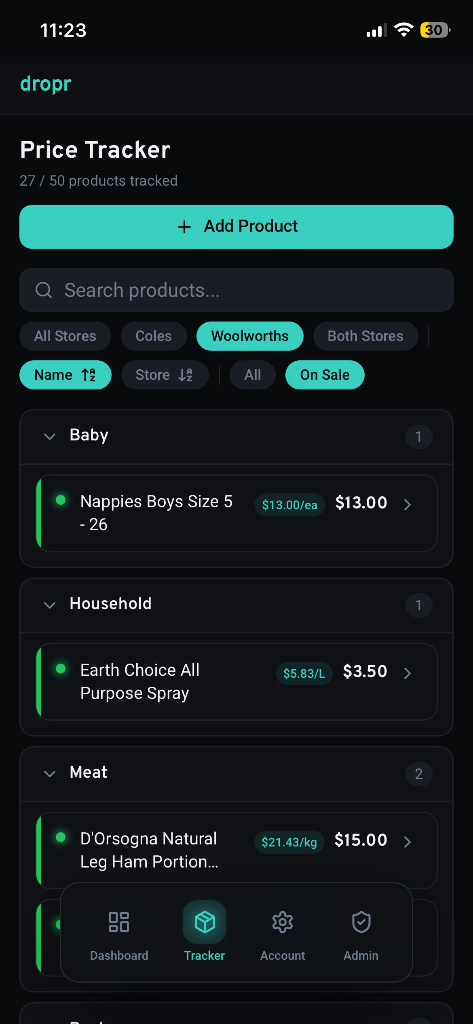
Tracker
Organise products by category
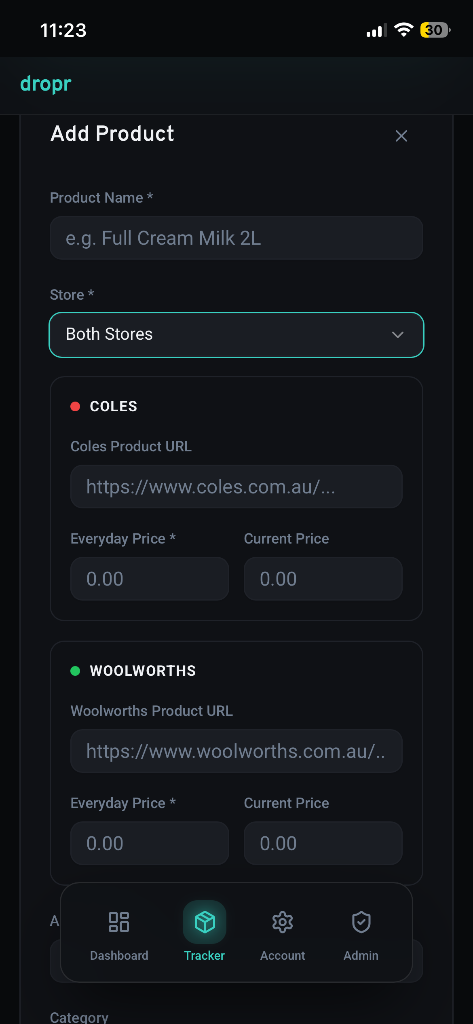
Add Product
Track any product in seconds
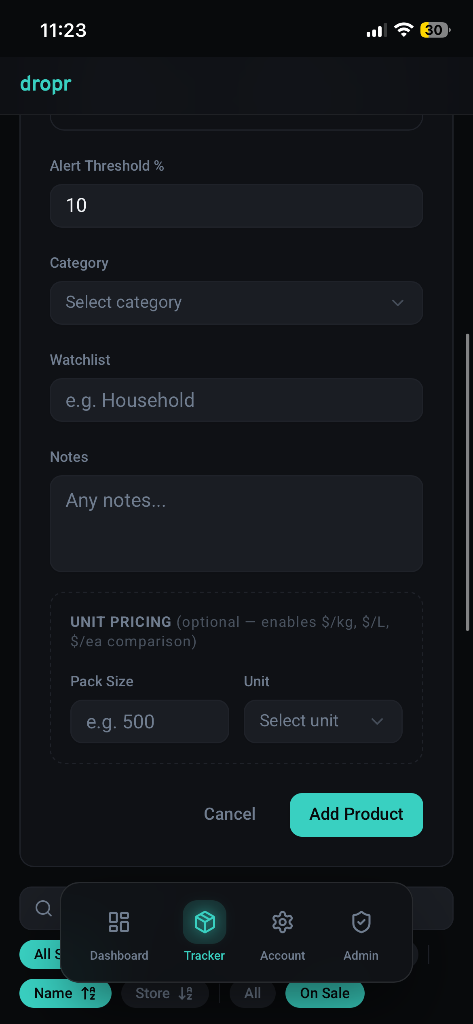
Product Details
Unit pricing, alerts & more
Dashboard
See all your price drops at a glance
Price History
Track prices over time with charts
Tracker
Organise products by category
Add Product
Track any product in seconds
Product Details
Unit pricing, alerts & more
Features
Everything you need to save on groceries
Weekly drop email
One email every Wednesday with all your price drops.
Price history charts
See how prices move over time to find the best windows.
Lowest price badges
Know when a product hits its all-time lowest price.
Price per unit comparison
Compare true value with automatic $/kg, $/L, and $/ea calculations. Spot bulk deals and multi-buy offers that save you the most.
Side-by-side store comparison
Track the same product at Coles and Woolworths simultaneously — dropr shows you which store has the better deal right now.
NewPricing
Spend less on groceries.
Start today.
Annual pricing — one simple payment, savings every week.
Free
Try dropr before upgrading
forever
- Track up to 5 products
- Weekly price checks
- Basic history tracking
Pro
Perfect for everyday shoppers
per year
≈ 19c/week
- Track up to 25 products
- Coles & Woolworths price alerts
- Weekly price monitoring
- Price history charts
- Watchlist groups
Elite
Built for families & power savers
per year
≈ 58c/week
- Track up to 50 products
- Everything in Pro
- Larger watchlists
- Best for families & bulk shoppers
No credit card required to start. Cancel anytime.
Add dropr to your home screen
Get the full app experience — no app store required.
Open Safari — this feature is natively optimised for Apple's Safari browser.
Navigate to dropr.com.au.
Tap the Share button — the square with an upward arrow at the bottom or top of your screen.
Select "Add to Home Screen" — scroll down the menu and tap it. If you don't see it, tap Edit Actions and add it.
Customise and Add — edit the name if you'd like, then tap Add.
FAQ